


Industrial VPN router Ewon Cosy+
Ewon Cosy+ broadband VPN router for secure remote maintenance of industrial systems and machines.
- Internet access via WAN (Ethernet), WLAN or mobile radio
- Integrated switch for machine LAN
- Secure and firewall-friendly thanks to VPN technology
- Direct connection option for PLCs, HMIs, webcams, etc.
- Remote access to Ethernet and USB devices
- SD card slot for easy configuration
- Multilingual web interface for configuration

The Ewon Cosy+ industrial router is the most cost-effective solution for machine builders, OEMs and system integrators for remote maintenance of machines and systems via the Internet. A VPN tunnel to the Cosy industrial router is established via the free eCatcher connection software to ensure secure remote maintenance.
Configuration is simple via the integrated web server, FTP server or via an optional SD card. Thanks to the USB interface, devices that do not have an Ethernet interface can also be connected for remote maintenance.
The associated Talk2M connection portal provides central user and device management as well as additional security functions.
Unterstützte Geräte
Jede/s SPS/Gerät mit Ethernet TCP/IP
USB-Geräte
Sicherheit:
OpenVPN Version 2.4.9 im SSL UDP oder HTTPS Modus. Es wird SSL / TLS Version 1.2 für die Sitzungsauthentifizierung und das ESP Protokoll für den gesicherten Tunnel Transport über UDP genutzt. Unterstützt werden X509 PKI (Public Key Infrastructure) für die Sitzungsauthentifizierung. Als digitaler Signatur Algorithmus (DSA) wird RSA (2048Bit) oder ECC (256 Bit) verwendet. Das TLS Protokoll wird für den "Schlüssel-Austausch", die Cipher-Independent EVP-Schnittstelle (AES256) für die verschlüsselte Tunnel-Verbindung und der HMAC-SHA1 Algorithmus für die getunnelten Daten. Verbindungsfreigabe optional über Schlüsselschalter möglich. Zwei-Wege-Authentifizierung möglich. Die Hardware-gestützte Verschlüsselung ermöglicht die Verwendung von authentifizierten und signierten Firmware-Ständen. Die Schlüssel für die Verschlüsselung werden in einem geschützten Bereich im Gerät abgelegt.
Echtzeituhr:
Integriert; Synchronisation über HTTP (manuell) oder
NTP (automatisch)
Konfiguration:
Über Webserver, FTP oder SD-Karte
Verbindungsaufbau:
Ausgehende Verbindung über HTTPS-Port 443 oder UDP-Port 1194
Ein- und Ausgänge:
- 2x digitaler Eingang (0 bis 24 VDC, als Schlüsselschalter nutzbar)
- 1x digitaler Ausgang (MOSFET, 200 mA)
Schnittstellen:
- 1-4 x LAN RJ45 Ethernet 10 / 100 Mbit/s (frei konfigurierbar)
- bis zu 3 x WAN RJ45 Ethernet 10 / 100 Mbit/s (frei konfigurierbar)
- 1 x USB 2.0 Buchse (max. 500mA)
- 1 x SD-Karten-Slot
Spannungsversorgung:
12 VDC bis 24 VDC +/- 19% @ 30 Watt max.
Betriebstemperatur:
Betrieb: -25 °C bis + 60 °C
Relative Luftfeuchtigkeit:
10 % bis 95 %, nicht kondensierend
Montage:
Hutschiene (DIN) oder Wandmontage
Gewicht:
202 g
Abmessung HxTxB (mm):
108,8 x 98,3 x 43,6 (ohne Antenne)
Schutzart:
IP20
Zertifikate & Zulassungen:
CE, UL
Hersteller:
HMS Industrial Networks AB
Optional integriert Mobilfunk (2G, 3G, 4G):
Antennenanschluss:
SMA-Buchse
Mobilfunkstandards:
EC7133L (Europa):
3G / HSPA+ / UMTS (B1, B3, B8)
4G / LTE (B1, B3, B7, B8, B20, B28)
EC7133K (Nordamerika):
3G / HSPA+ / UMTS (B2, B5)
4G / LTE (B2, B4, B5, B12, B13, B14, B71)
EC7133M (APAC):
3G / HSPA+ / UMTS (B1. B2, B4. B5, B6, B8, B19)
4G / LTE (B1, B2, B3, B4. B5, B7, B8, B12, B13, B18, B19, B20, B25, B28, B38, B39, B40, B41)
EC7133N (Japan):
3G / HSPA+ / UMTS (B1. B2, B4. B5, B6, B8, B19)
4G / LTE (B1, B2, B3, B4, B5, B7, B8, B12, B13, B18, B19, B20, B25, B28, B38, B39, B40, B41)
Mobilfunk-Antenne:
nicht im Lieferumfang enthalten
Optional integriert WLAN (802.11a/b/g/n):
Antennenanschluss:
RP-SMA-Buchse
WLAN Standard:
IEEE 802.11 a/b/g/n, 2,4 und 5 Ghz
WLAN Client oder Access Point Funktion
Unterstützte Kanäle 1 bis 11
Ausgangsleistung bei 2,4 GHz beträgt 2,0 dBi
Ausgangsleistung bei 5 GHz beträgt 4,5 dBi
WLAN Sicherheit:
Client: WEP, WPA, WPA2
Accesspoint: WPA2
WLAN Antenne:
Aufsteckantenne im Lieferumfang
Hinweis: Bei Verwendung von Zubehör-Antennen die zulässige Sendeleistung beachten.

More acceptance for remote access with Cosy+
Remote access to all your machines is now even easier and more secure with the new generation of devices.
 Download (2.98 MB)

The Ewon & Talk2M remote maintenance solution:
VPN router in combination with cloud-based online service portal.
From simple and secure remote access to machines/systems for troubleshooting to comprehensive concepts for remote maintenance and data services (predictive maintenance, alarm management, visualization, etc.).
Download (5.72 MB)

At a glance: Industrial cloud service Talk2M, Ewon Cosy, Ewon Flexy with order numbers
Download (3.21 MB)


Perfect temperature curves for perfect results.
Remote maintenance and industrial Ethernet solutions ensure maximum availability of IVA Schmetz industrial ovens.
Download (861.42 KB)

Energy harvesting for remote locations.
New technology for waste heat generation with remote maintenance
Download (979.43 KB)


Remote maintenance for speed and efficiency
Download (602.16 KB)


Reliable operation and intelligent remote maintenance
Download (1.23 MB)


Remote maintenance via the Internet and mobile communications
Download (296.59 KB)


With Ewon, all parameters in a central location at a glance
Download (447.85 KB)


When using the mobile phone option, please refer to the compatibility list.
 Download (328.54 KB)


is a universal tool for reading out and setting up Ewon routers, updating firmware, saving and restoring the configuration.
By downloading and using software and apps from this homepage, I agree to the terms and conditions and the supplementary software clause.

is used to connect your PC to your Ewon router via Talk2M using a VPN tunnel. This allows access from your PC to the network connected to your Ewon router as if you were connected locally. User and device management as well as insight into the connection report is also done via eCatcher.
By downloading and using software and apps from this website, I agree to the terms and conditions and the supplementary software clause.

enables a connection test to Talk2m from your PC. Various parameters are checked and you receive feedback.
By downloading and using software and apps from this website, I agree to the terms and conditions and the supplementary software clause.

emulates a serial interface (COM port) on your PC which is linked to the serial or MPI interface of the Ewon router. This allows you to access serial and MPI devices remotely.
By downloading and using software and apps from this homepage, I agree to the terms and conditions and the supplementary software clause.

Use this *.cfg file to import an Ewon router into your SIMATIC Manager. Suitable for Technical Note 0401 eWON.
By downloading and using software and apps from this homepage, I agree to the terms and conditions and the supplementary software clause.
 Download (1.44 KB)

This file for the Simple Network Management Protocol (SNMPv1) for integration into an SNMP agent.
By downloading and using software and apps from this homepage, I agree to the GTC and the supplementary software clause.
Download (3.95 KB)



Ewon Cosy DI assistant key switch and alarm notifications
Version: 1.2
Download (515.62 KB)
Ewon Cosy 131, Flexy 10x/20x firmware update, downgrade, restore
Version: 2.1
Download (1.20 MB)
Ewon Cosy+ firmware update, downgrade, restore
Version: 1.1
Download (855.97 KB)

Remote maintenance of a Siemens controller / Siemens operating device
Version: 1.0
Download (2.16 MB)



 to the Technical Videos Ewon Cosy


Mobile radio antenna WEW40902K
Omnidirectional antenna
GSM, 2G/GPRS, 3G/UMTS/HSPA, 4G/LTE
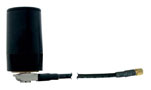
Mobile radio antenna WEW40902F
Omnidirectional antenna
GSM, 2G/GPRS, 3G/UMTS/HSPA
This product is discontinued
Will be replaced by: WEW40902K
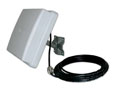
Mobile radio antenna WEW40902G
Directional radio antenna
GSM, 2G/GPRS, 3G/UMTS/HSPA, 4G/LTE

Mobile radio antenna WEW40902H
Omnidirectional antenna
GSM, 2G/GPRS, 3G/UMTS/HSPA, 4G/LTE

Mobile radio antenna WEW40902I
Plug-on antenna
GSM, 2G/GPRS, 3G/UMTS/HSPA, 4G/LTE

Mobile radio antenna WEW40902M / WEW40902N
Magnetic base antenna
GSM, 2G/GPRS, 3G/UMTS/HSPA, 4G/LTE

 to top
 Contact
 Request form