


Find your intelligent and versatile HMI and IIoT edge gateway
Every task and every application is unique and requires the right products with the right properties for your needs. For this reason, we offer you a wide range of different products in the field of HMI, HMI servers and IIoT edge gateways.
| XE, iE, iP | Standard HMI | cMTX | HMI | cMT I Server | cMT-G0 I IIoT Edge Gateways | cMT-FHDX | HDMI server |
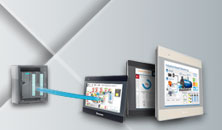 | 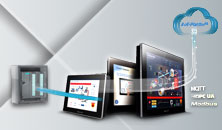 | 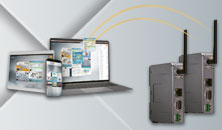 | 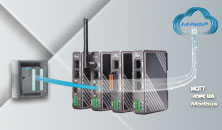 |  |
| Basic visualization of machine data on site or remotely and PLC remote access | Comprehensive visualization of machine data on site, remotely or in the web dashboard and PLC remote access | Visualization of machine data remotely and PLC remote access | Simple recording of relevant machine parameters and forwarding to the cloud | Comprehensive visualization of machine data on site via HDMI, remotely or in the web dashboard and PLC remote access |
 | ||||
528 MHz to 1 GHz | 1.4 GHz to 1.6 GHz | 600 MHz | 528 MHz to 600 MHz | 1.6 GHz |
1 - 2 cores | 4 cores | 1 core | 1 core | 4 cores |
Standard graphics performance | High graphics performance | Standard graphics performance | - | High graphics performance |
|
|
|
|
|
The standard HMI product range enables you to visualize your machine data on site. This offers you sufficient computing power for simple visualization tasks. The cMTX series offers you a far more powerful and modern HMI solution. The higher CPU and GPU performance enables you to carry out the most demanding visualization tasks effortlessly and ensures significantly improved display quality. The cMT series servers allow you to dispense with on-site visualization and at the same time, thanks to remote access, gain full insight into your machine. The cMT-FHDX-220 HMI server is available for the flexible display of the most demanding visualization tasks. This allows you to combine the high performance of the cMTX series with any display device of your choice.

Full access to your PLC thanks to 400 different protocols
This variety of protocols enables you to communicate with all standard controllers and automation devices from Siemens, ABB, Bosch, Schneider, Beckhoff, Mitsubishi, WAGO, Rockwell, Omron, Codesys and many more. Benefit from the simple integration of the HMI, server or Gateways into your machine concept. The EasyBuilder Pro software allows you to easily select the drivers you need. Use the drivers to connect Modbus, CAN bus or BACnet and close the gap between OT and IT thanks to MQTT, OPC UA and SQL functionalities.

Import your PLC variables
Use the simple variable import to set up your project / visualization solution. With our products, you benefit from the simple import option for PLC variables from Siemens and CODESYS. You can also import variables from the BACnet and OPC UA protocols, replacing the manual transfer of variables from the variable table and data blocks from the PLC to the HMI. Easily import your desired variables.

One-click Siemens variable import
The EasyBuilder Pro HMI project planning software not only supports user-defined data types (UDT), standard data structures and PLC variables (e.g.: [I] Input, [M] Bit Memory, [Q] Output, etc.) of the S7-1200/1500, but also enables PLC variable import via the projects created in the TIA portal. All you have to do is select the TIA project file and import it with one click. The selected PLC variable tables and data blocks are automatically mapped to the system registers of the Siemens S7-1200/1500 driver contained in EasyBuilder Pro.
Important notes:
- The variable import function of the EasyBuilder Pro presented here supports TIA Portal version 13 and 14.
- Our development team will continue to ensure that the EasyBuilder Pro development platform seamlessly integrates the variable tables of the Siemens S7-1200/1500.
- From EasyBuilder Pro version V5.07.02 or newer



 to top
 Contact
 Request form