




Wachendorff EMG App
The Wachendorff EMG app is currently only suitable for Android operating systems. A version that supports iOs operating systems will follow soon.
Parameterize built-in measuring devices and universal controllers via smartphone.
Supported devices: UA964802, MA964802, DMS9648O, UR48481A, UR48482A, UR48483A, UR48484A, UR48485A, UR32741A, UR32742A, URDR001A
The app allows you to read, write, program and manage your Wachendorff devices.

PM50 App Android
Parameterize the PM-50 graphic display easily and conveniently via Android.
The app allows you to read, write, program and manage your PM50 display.
PM50 App iOs
Parameterize the PM-50 graphic display easily and conveniently via iPhone or iPad.
The app allows you to read, write, program and manage your PM50 display.


The digital display redefined: PM-50
Monitor your systems and your data like never before with the PM-50 graphical digital display.
 Download (2.54 MB)
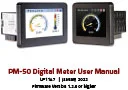
The PM-50 digital display
Pioneering development in digital display technology.
Decode your operating data without additional costs.
Download (2.63 MB) 
Handout Intelligent built-in measuring devices PAX
Here you can download our handout Intelligent built-in measuring devices PAX.
Download (291 KB) 


Science and research: Digital displays help with solar cell development
How photovoltaics becomes economical
Download (543 KB) 

Measurement and control technology: Digital displays support flow rate measurement
Price-efficient digital displays for mass flow measurement
Download (430 KB) 
Endless materials: Quality inspection with digital displays
Digital displays in the tensile force measurement
Download (360 KB) 
Heavy industry: Filter monitoring with digital displays
Filter monitoring via two separate channels - flexible and accurate
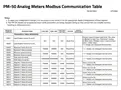
Download (462 KB) Change boot logo instructions
Installing a user-defined boot logo with the Wachendorff EMG APP
Download (1.53 MB) 




SFUR0KIT German
Programming module and software for Wachendorff digital displays and controllers of the TA/ TH/ TI/ UA/ UR/ VZ/ ZD device series
Download (213 KB) SFUR0KIT english
Programming module and software for Wachendorff panel meters and controller TA/ TH/ TI/ UA/ UR/ VZ/ ZD
Download (245 KB) 


Wachendorff displays and controllers-3.4.3
Configuration software for Wachendorff PID universal controllers and digital displays. You can use this software to parameterize the following devices via the PC:
TA, TH, TI, VZ and ZD series, UA964801, UA964802 and the UR series:
UR3274S, UR3274U, UR484802, UR484803, UR484804, UR48481A, UR48482A, UR48484A, URDR0001.
The following devices are compatible:
UA964802 up to and including firmware 3.03
UR4848xA up to firmware 1.xx
Software version 3.4.3.0 (as of 10.05.2019)
By downloading and using software and apps from this website, I agree to the GTC and the supplementary software clause.
 Download (28 MB)
 Wachendorff displays and controllers-3.4.8
Configuration software for Wachendorff PID universal controllers and digital displays.
You can use this software to parameterize the following devices via the PC:
TA, TI, VZ and ZD series, UA964802, as well as the UR series:
UR32741A, UR32742A, UR3274S1, UR3274S2 , UR48481A, UR48482A, UR48483A, UR48484A, UR48485A, URDR0001, URDR001A.
The following devices are compatible:
UR32741A / 2A: with/from firmware 1.05
UR3274S1 / S2: with/from firmware 7.07
UR48481A / 2A / 3A / 4A / 5A: from/with firmware 2.05
URDR0001: from/with firmware 1.03
URDR001A: from firmware 2.08
UA964802: from/with firmware 3.04
ZD327401: from/with firmware 2.08
TI327401/ TI484801: from/with firmware 2.06
TA327401: from/with firmware 2.06
VZ484801: from/with firmware 2.08
Software version 3.4.8 (as of 03.03.2022)
By downloading and using software and apps from this website, I agree to the GTC and the supplementary software clause.
Download (55 MB) 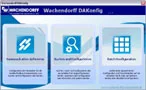
Wachendorff DA-Config
Programming software for DA9602R0 with firmware R1.02 & from/with firmware R1.04
By downloading and using software and apps from this homepage, I agree to the terms and conditions and the supplementary software clause.
 Download (2.52 MB)
Crimson 2.1
Project planning software for CUB5 series, LD series, PAX and PAX2 series, PXU series, T/P16 series, T/P48 series, TCU series and ICM8.
By downloading and using software and apps from this website, I agree to the GTC and the supplementary software clause.
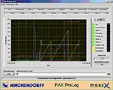
PAX ProLog
Evaluation and visualization software for PAX series devices
File size: 10 MB
By downloading and using software and apps from this homepage, I agree to the GTC and the supplementary software clause.
Download (9.95 MB) 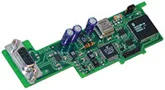
GSD file
GSD file #REDL09D0
By downloading and using software and apps from this website, I agree to the GTC and the supplementary software clause.
Download (2.85 KB) 






 to top
 Contact
 Request form