



Use data history for analysis
Part of the Netbiter View & Control and Manage & Analyzer service packages.
 A Modbus interface is required on your device (e.g. PLC, machine, system controller) for trend analysis.

Trend analysis:
Assess the performance of systems/field devices based on logged operating data
- Easily analyze operational data and identify deviations
- Overview of the actual use of field equipment by customers
- Optimize and reduce energy consumption in installations
- Export data trends to Microsoft Excel
Assign log data to a trend curve
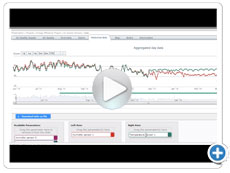
You can use the "Log Graph Widget" to display device parameters as a trend curve. Once you have selected the desired parameters, you can display the parameter values as a trend curve.
Settings such as description, time period, Y-axis range and placement of the legend can be adjusted so that the trend curve takes into account and displays the desired log data.
Create reports
Part of the Netbiter Manage & Analyzer service package.
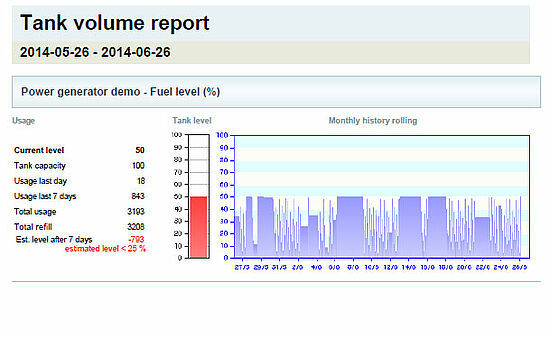
The reporting function in Netbiter Argos provides you with precise representations of user data in various formats - e.g. as a list, curve or diagram. The reports are (mainly) based on the parameters that are stored in a Netbiter account as parameters to be recorded.
Various reports:
- Account status report - Overview of all assets, users, including all contact details of your account (Netbiter Argos account)
- Online reports - Shows the online history for each installation as a diagram or trend curve
- Data exports - A ZIP file is created for the selected system to import the log data into other applications
- Energy consumption - Energy consumption as a list or curve, takes time-dependent tariffs into account
- Fill level report - Simple fill level indication in percent
- Temperature development - Temperature values as a trend curve, maximum/lowest temperatures and average temperatures
- Comparisons - Create trend curves based on your system parameters
 to top
 Contact
 Request form